
Modifying a users avatar
Modifying a users avatar requires SysAdmin-level access. This is usually the branch secretary & a designated ActivistHub Champion. Additional SysAdmin users can be requested by emailing admin@activisthub.co.uk
Step 1 - Logging in
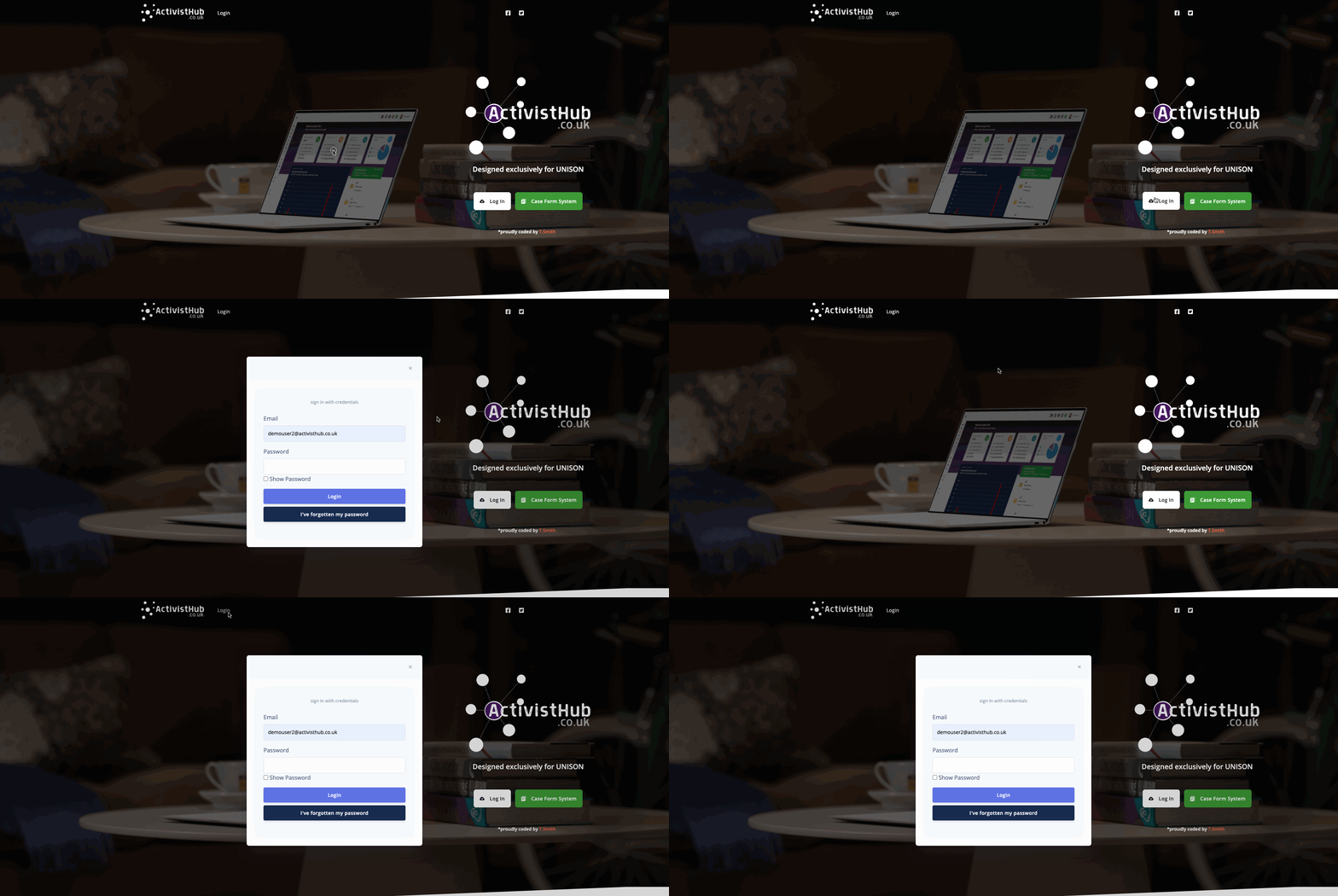
Before we can start we need to head to https://www.activisthub.co.uk and Log In as we normally would.
(If you are unsure how to log in follow the instructions HERE)
Step 3 - Load the admin panel
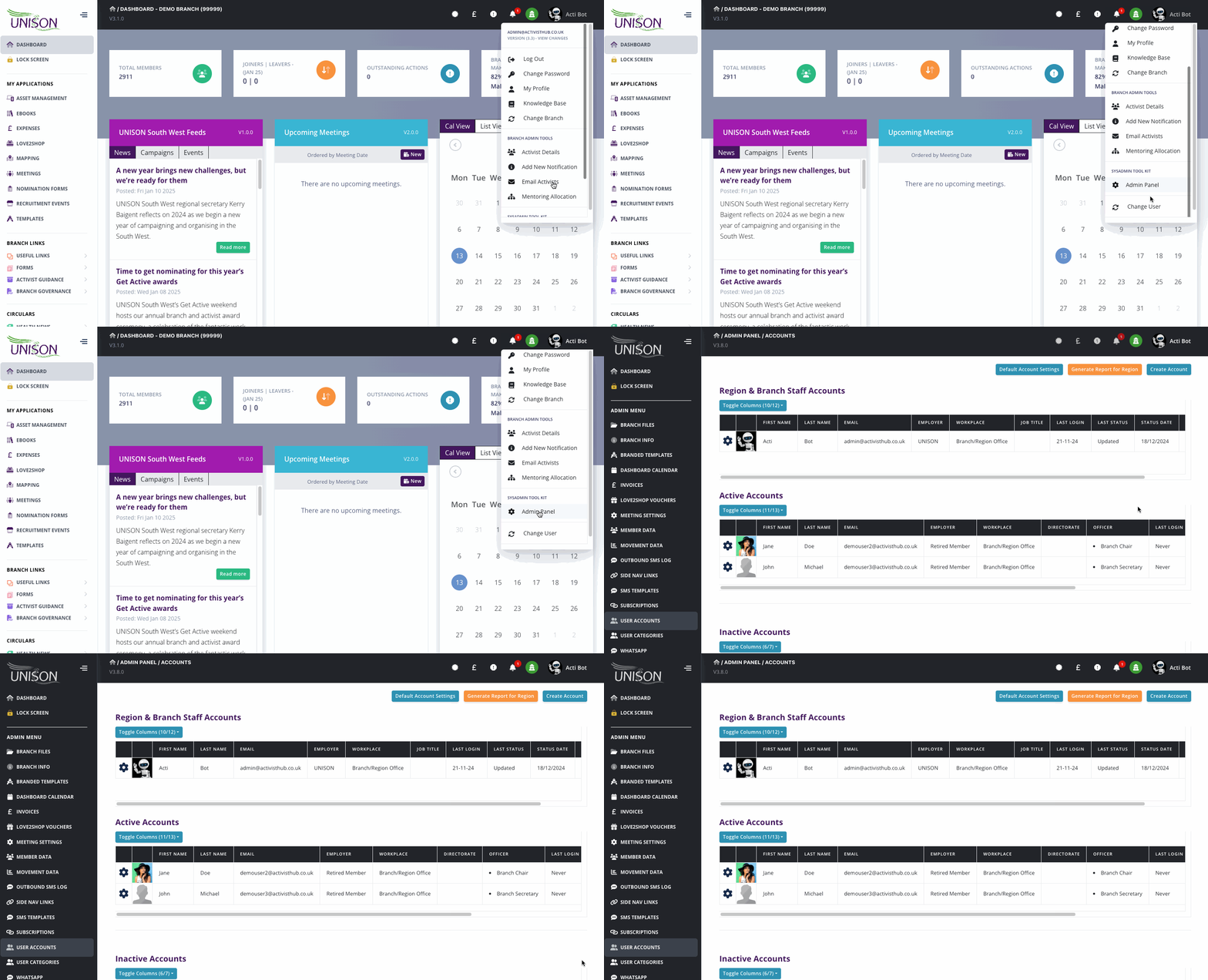
Next, we need to get to the admin panel, we do this by clicking your name in the top right of the screen, scrolling to the bottom and selecting “Admin Panel” from the menu.
Step 4 - Select the users Account
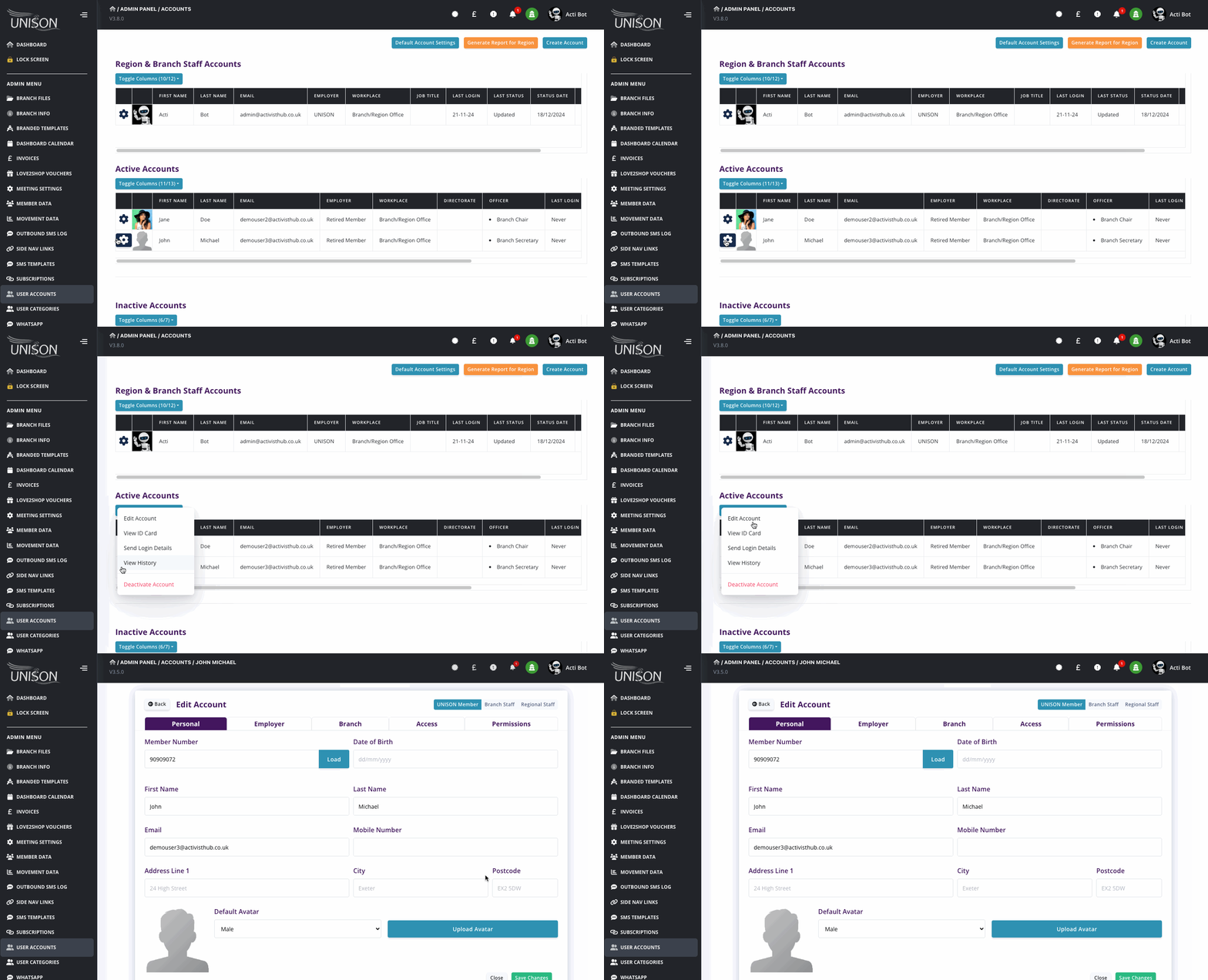
Next, we need to click on cog next to the member you wish to edit and then ‘edit account’
Step 5 - Select or Upload a new avatar
You can now select a default avatar or click Upload Avatar to add a new one, if adding a new one you will be given the option to resize and crop the photo before uploading.
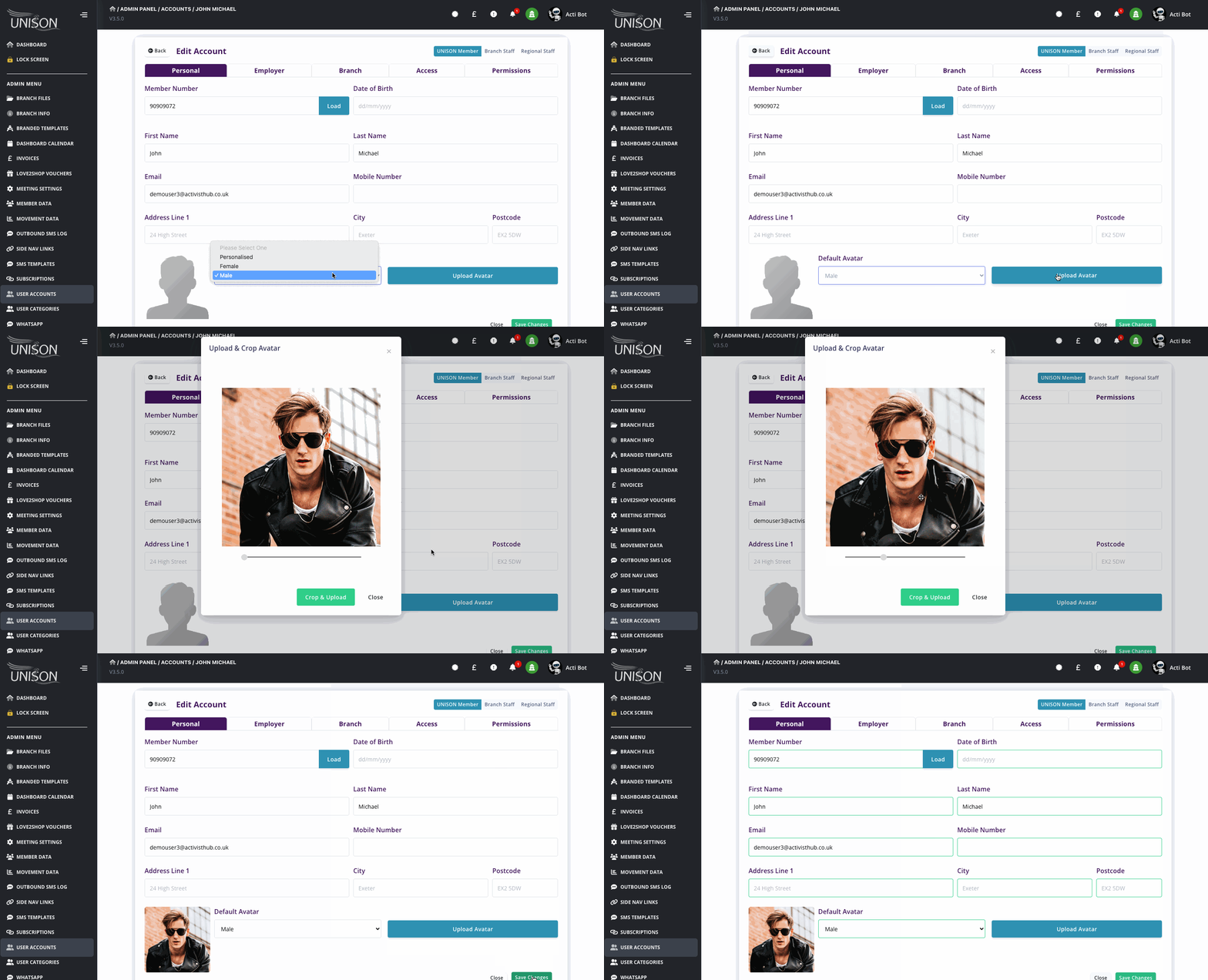
Once complete, click save changes and you're done!