
Adding a Document to your AGM
Step 1 - Logging in
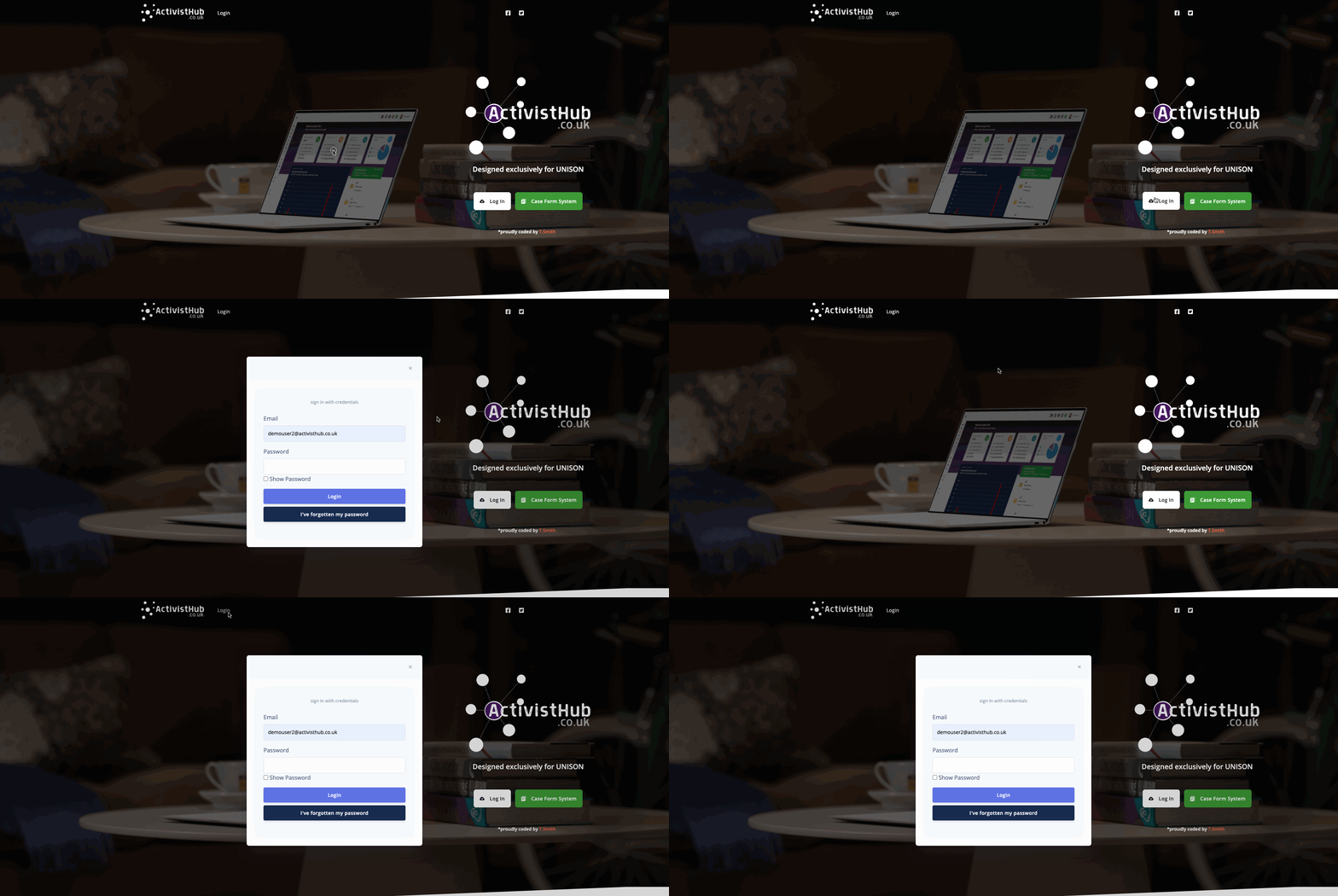
Before we can start we need to head to https://www.activisthub.co.uk and Log In as we normally would.
(If you are unsure how to log in follow the instructions HERE)
Step 3 - Load the AGM in the AGM Toolkit
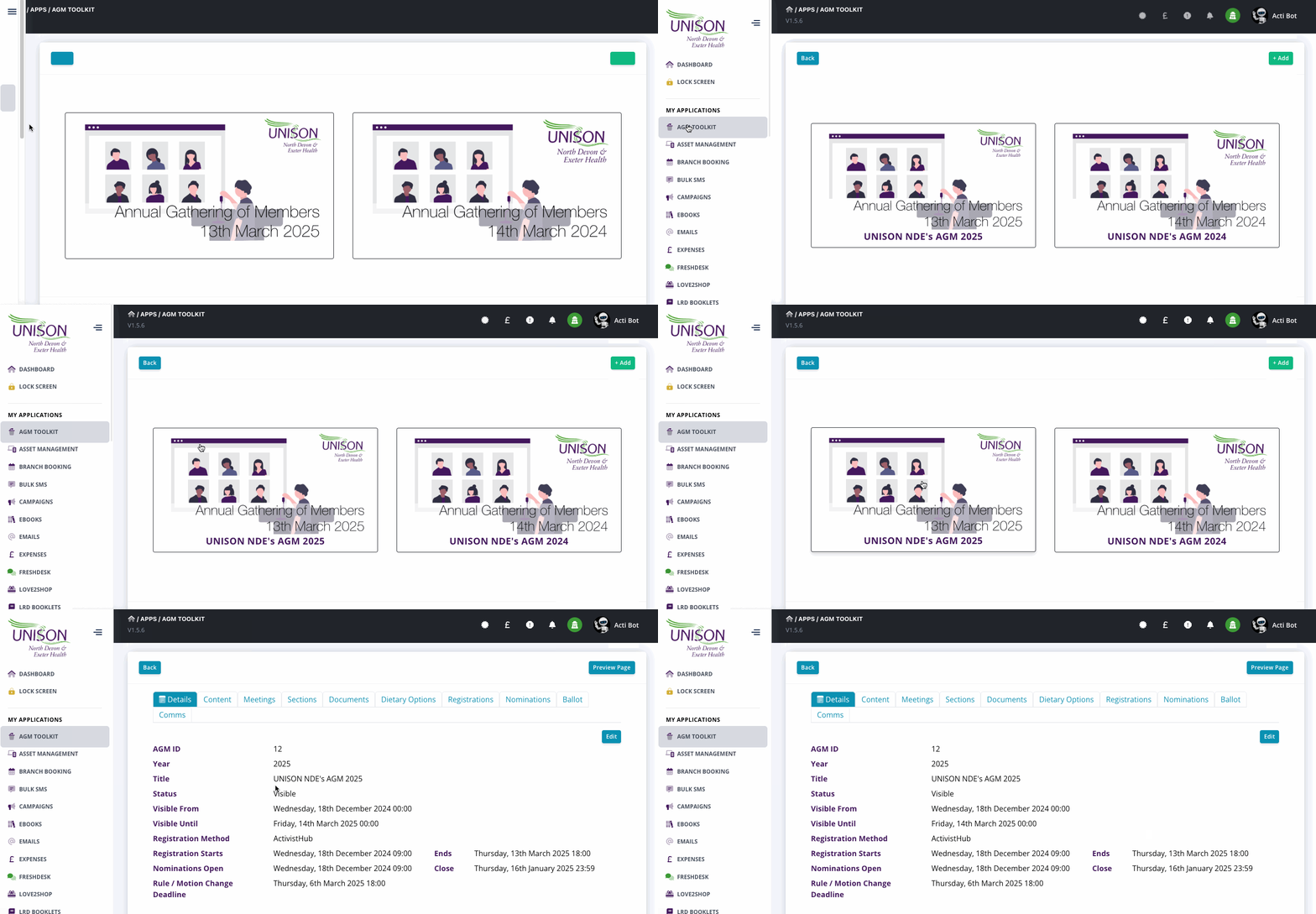
Next, we need to get to the AGM dashboard within the AGM Toolkit, we do this by clicking on ‘AGM TOOLKIT’ on the left of the screen, then clicking on the AGM that we want to add the document too.
Step 4 - Select the documents Tab
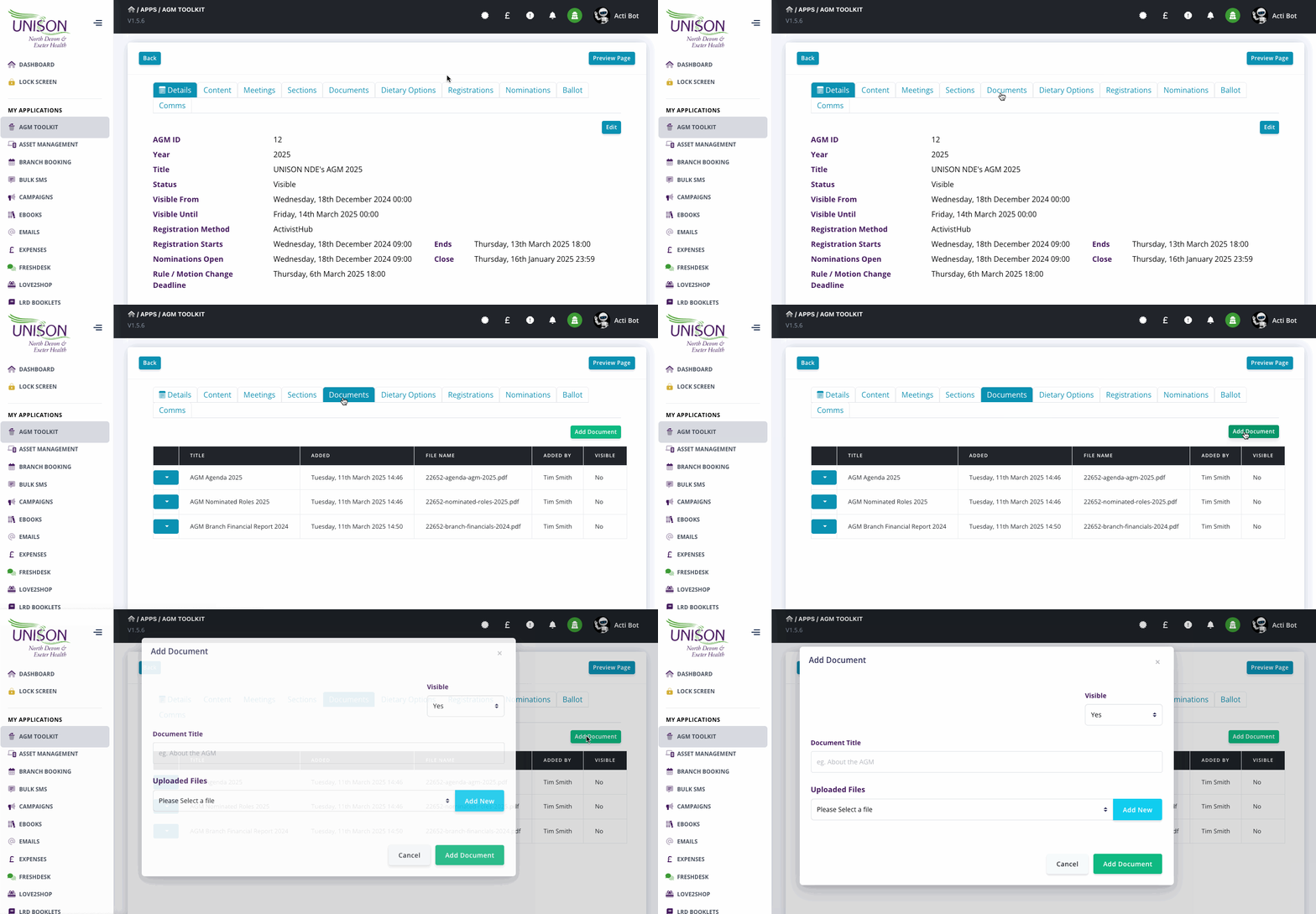
Next, we need to click on the ‘Documents’ tab, then ‘Add Document’.
Step 5 - Select or Upload a new document
You can now select a document already on the system or click ‘Add New’ to add a new one, if adding a new one; a popup will appear for you to select and upload the file. Once uploaded you will be returned to the Add Document screen to select the newly added file from the dropdown box.
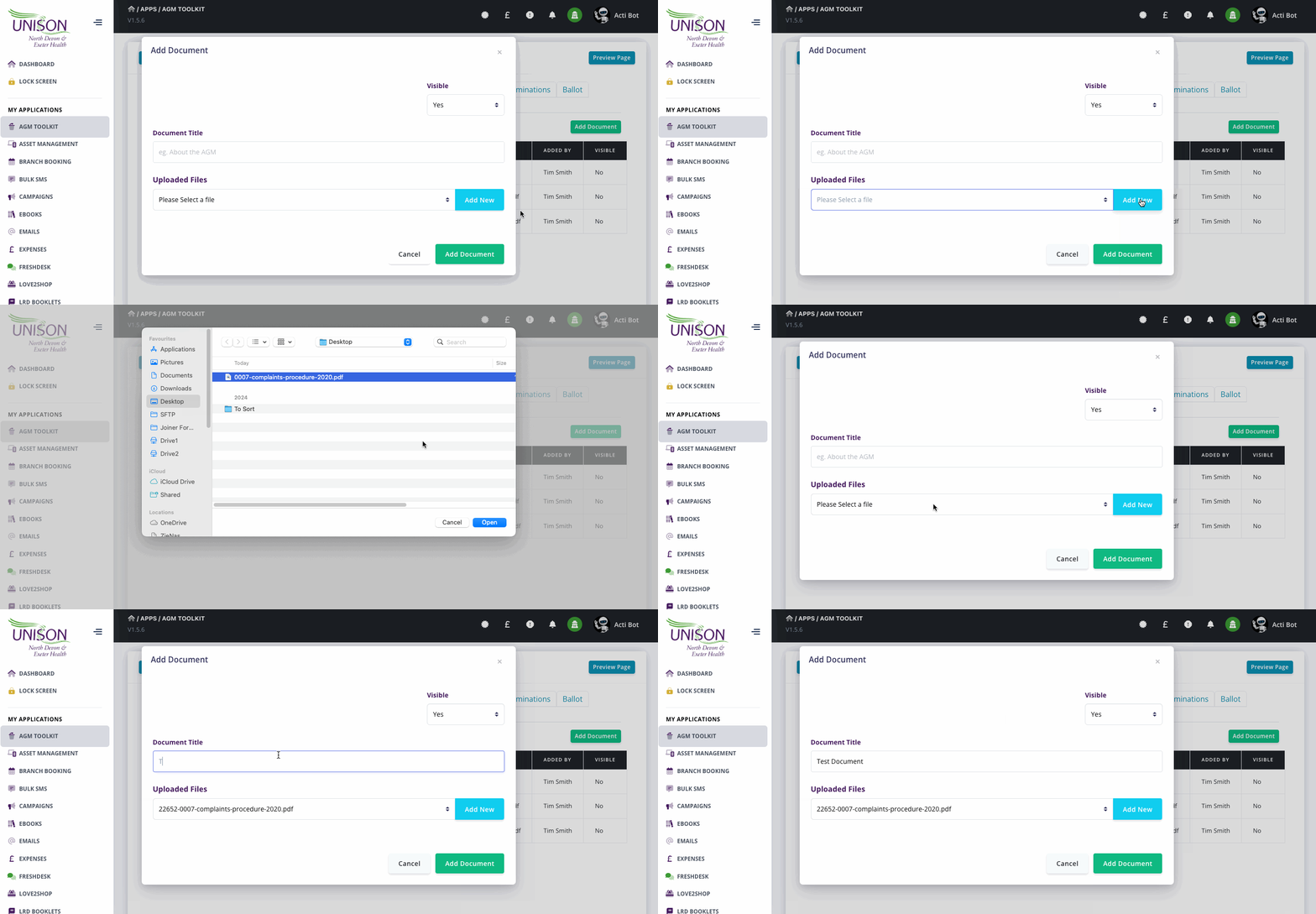
Add a title, select if the document should be visible yet or not (on the branch website) and then click ‘Add Document’, that's it, all done. Your document has now been added.