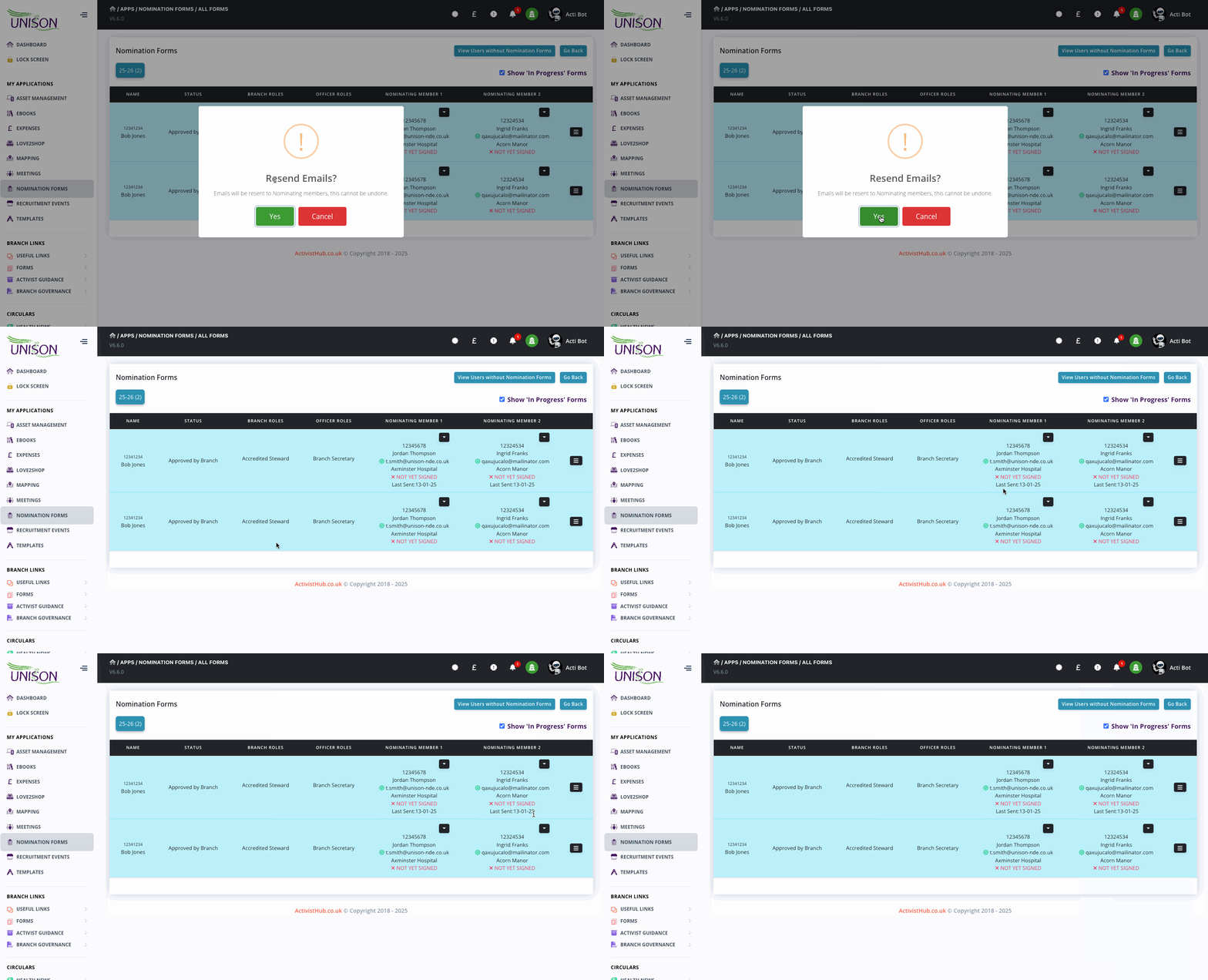
Resend Email to Proposers
- Resending Email's to Proposers can only be actioned by an Admin level user.
- Repeat emails will be prevented in a 24 hour period.
- If one member has signed, clicking the button WILL NOT resend their email, only the outstanding one will be sent.
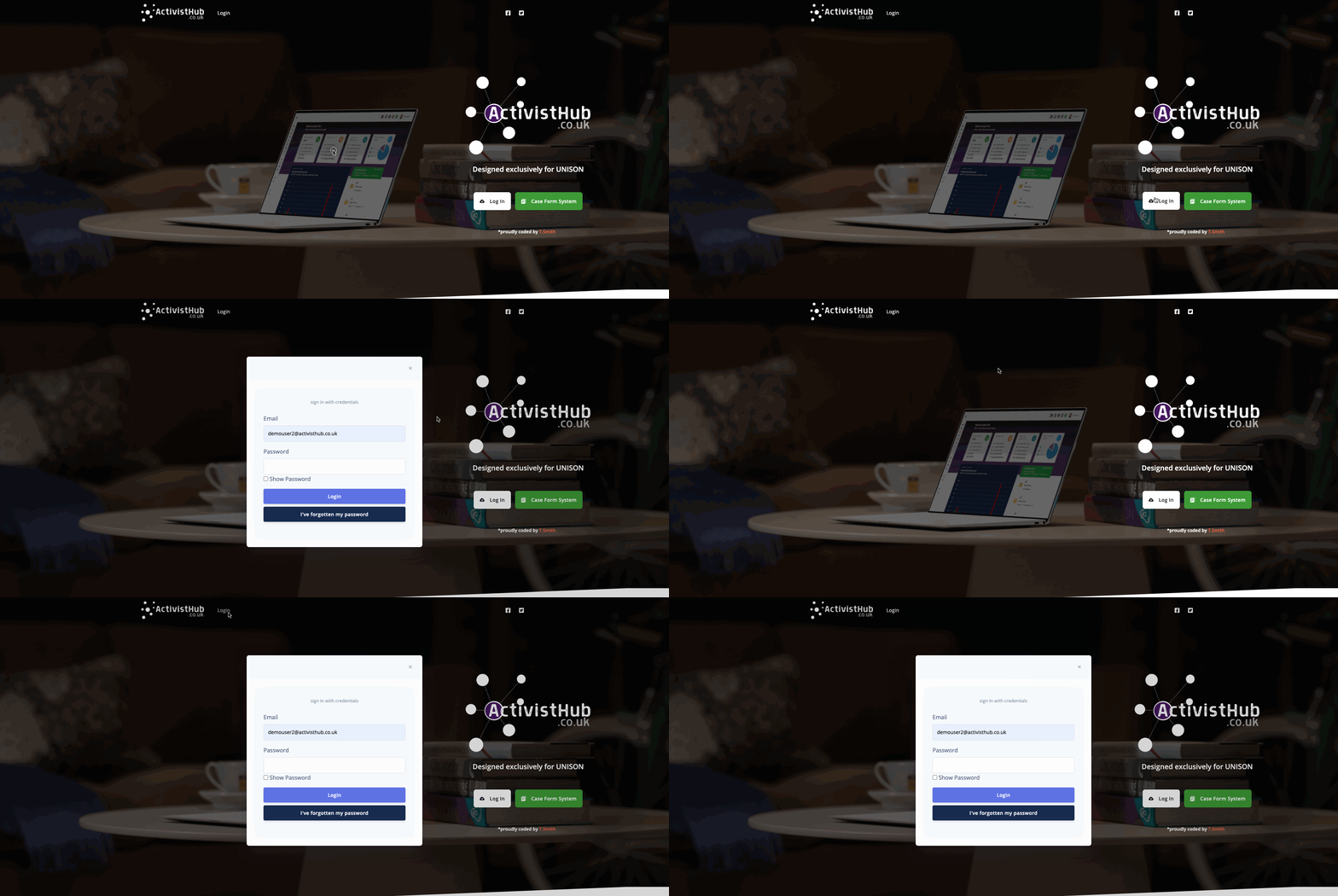
Step 1 - Logging in
Before we can start we need to head to https://www.activisthub.co.uk and Log In as we normally would.
(If you are unsure how to log in follow the instructions HERE)
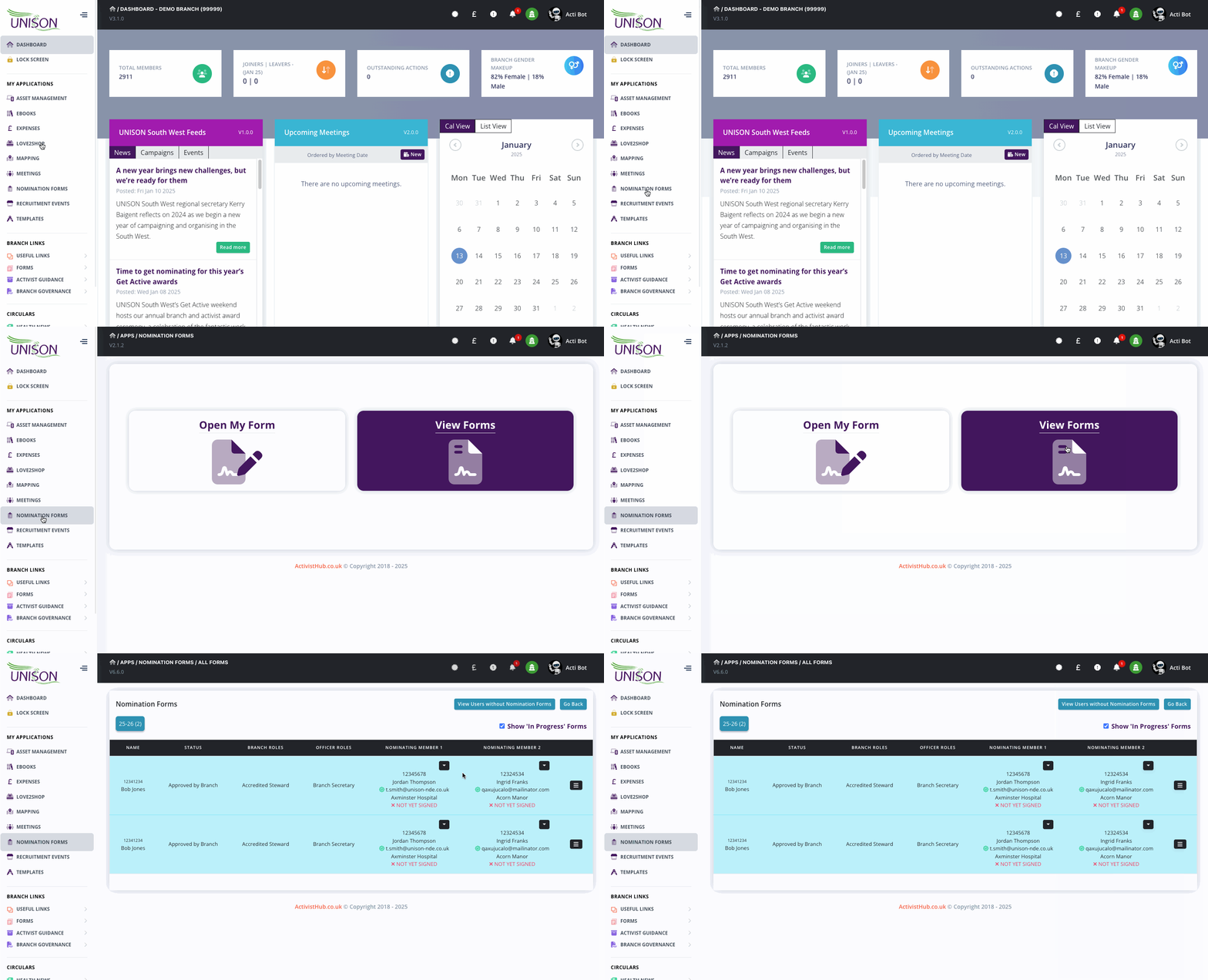
Step 2 - Open the Nominations App and Load Results page.
Next, we need to open up the results page in the nominations app. On the left menu, select ‘Nomination Forms’ then, view forms.
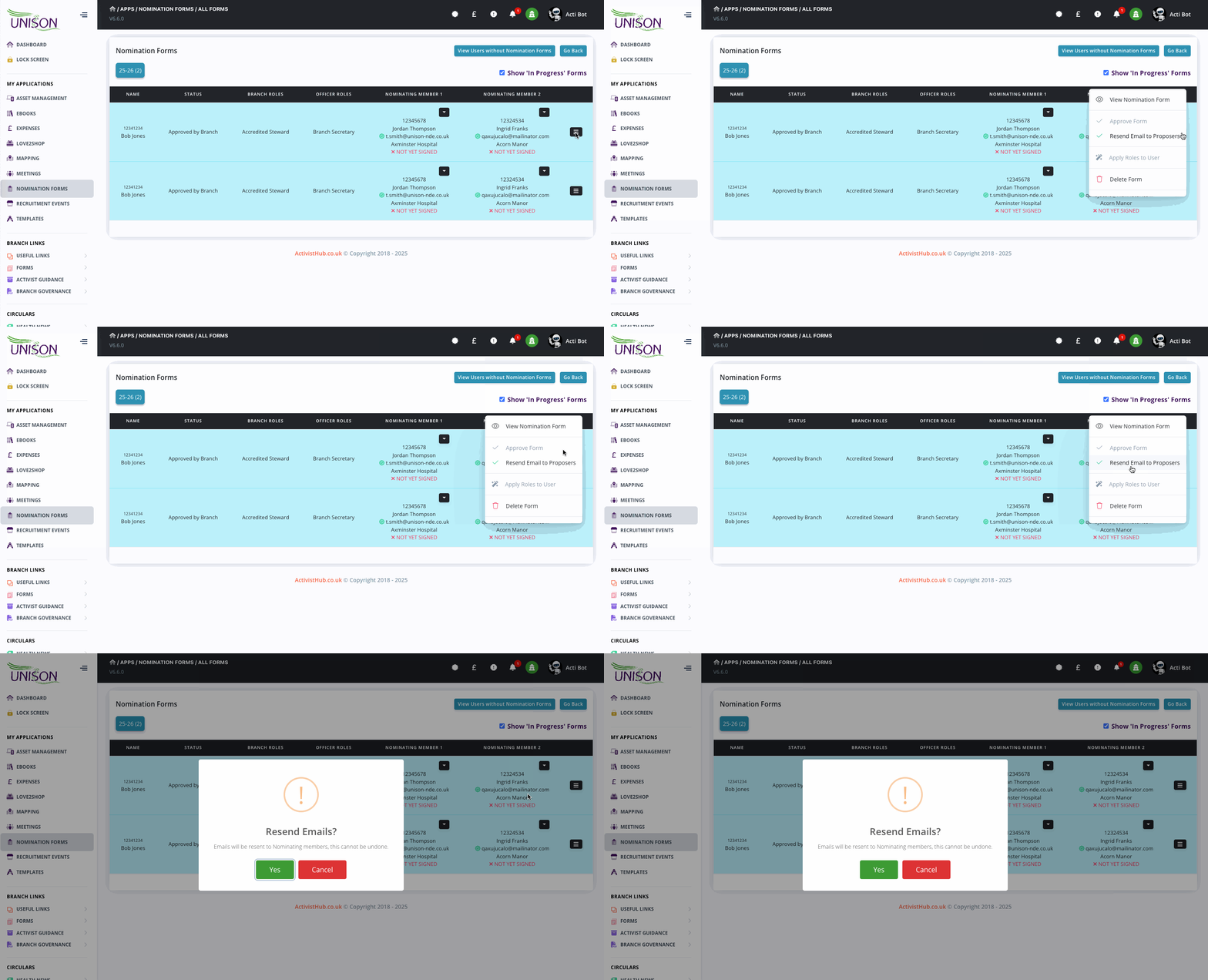
Step 3 - Resend emails.
Identify the correct row in the results, this option will only be available on submitted forms, not yet signed by both members. Click on the options button on the far right of the row represented by 3 horizontal lines. In the drop-down menu select ‘Resend Email to Proposers’.
Step 4 - Confirm and Done.
Read and then confirm the notification by clicking Yes, Thats it, emails will now be resent to the outstanding members and you will see the last date sent shown under the members' column.